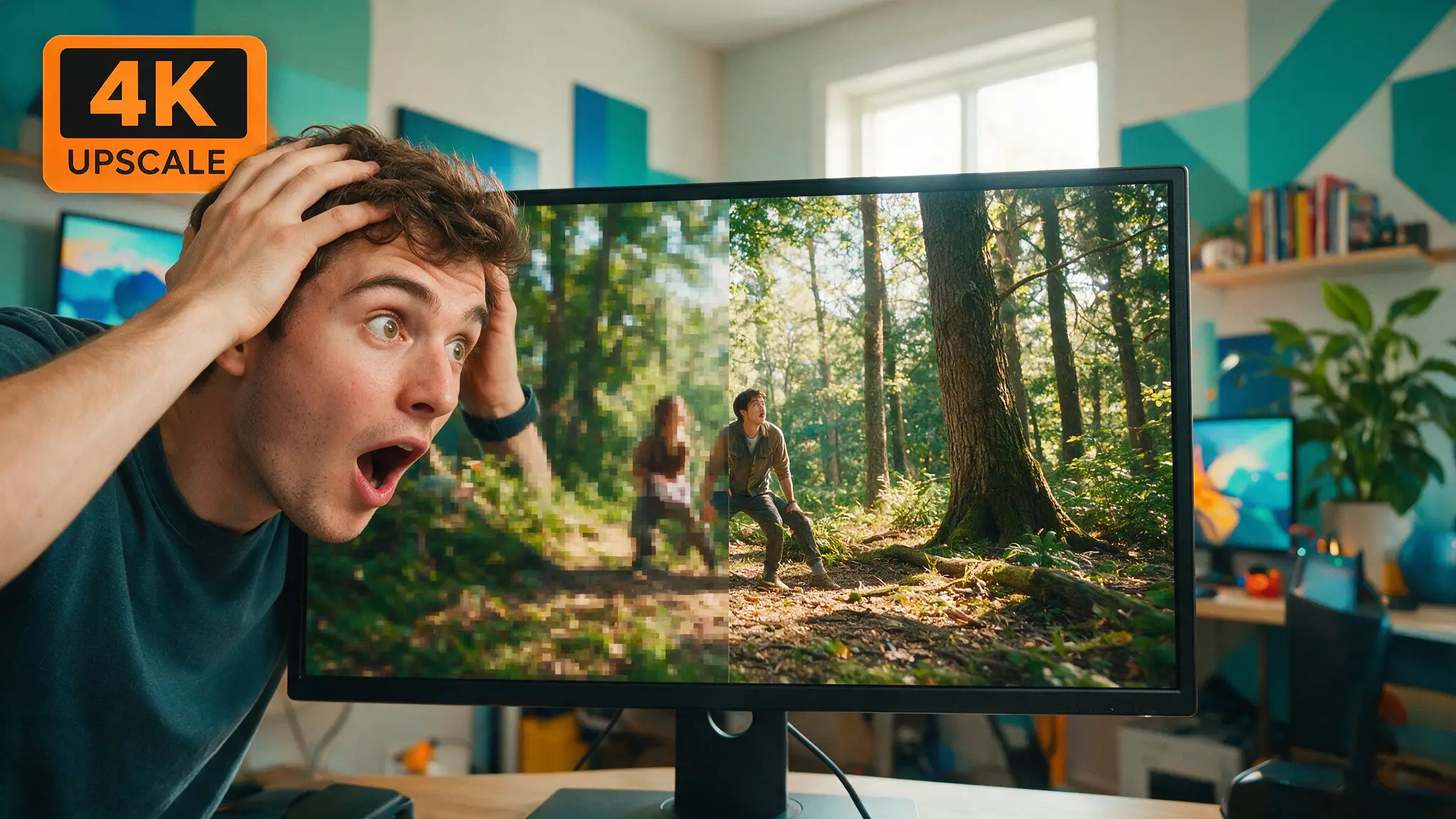
🎞️ Topaz Video AI Free? What the Trial Actually Limits (2026)
No, Topaz Video AI isn't free — the trial watermarks every export. Here's exactly what it limits, the real price, and which free tools get closest.
Tomás Rivera · Film Editor & AI Cinematography Writer
· 10 min read
⚡ TL;DR — quick answers
- Is there a genuinely free version of Topaz Video AI?
- No. There is no permanently free tier — only a trial, and Topaz's own FAQ on its Video AI page states it plainly: exported files from the trial carry a watermark, and 'a full subscription removes the watermark and unlocks all export options.' You can install it, process a full clip, and preview every model at no cost. You cannot ship anything from it without paying.
- Does the Topaz Video AI trial expire after a set number of days, and is output capped at 720p?
- That's the popular claim, but we couldn't confirm it on Topaz's own site. A cluster of third-party review pages states a 30-day window and a 720p export ceiling; Topaz's own FAQ names neither — it describes the watermark as the limiter and says nothing about a day count or resolution cap. Trial terms can change between our check and your download, so verify inside the installer before you plan a project around it.
- Can I still buy a lifetime license for Topaz Video AI?
- Not a new one. Topaz Labs stopped selling perpetual licenses on October 3, 2025, moving the whole product line to subscriptions. Anyone who bought a perpetual license before that date keeps using the version they paid for, but new AI models and new purchases are subscription-only now — which is why old 'buy once, own it forever' advice you find on forums and older guides no longer applies to a first-time buyer.
Short answer: no, Topaz Video AI is not free, and it never has been in the way people mean when they type that search. What exists is a trial you install and run on real footage at full quality, with every AI model unlocked — but every frame you export comes out with a watermark burned in, per Topaz's own FAQ on the Video AI page: "Topaz Video offers a free trial that allows you to process and preview video using all available AI models. Exported files from the trial include a watermark. A full subscription removes the watermark and unlocks all export options." That's the whole deal in one sentence from the source. If you need a clean export, you're paying — $299/year for the Personal tier paid upfront, or $59/month if you'd rather not commit annually.
Here's where I'll spend the rest of this piece: what the trial actually gives you versus what the internet says it gives you, why so many pages still describe a "buy once, own it forever" version that stopped existing last year, why a cracked copy is a worse trade than it looks, and which of the genuinely free tools — Video2X, chaiNNer, Upscayl — actually get you usable footage instead of a watermark you have to crop around.
What the trial actually limits — and what's just internet folklore
I pulled up Topaz's own product page instead of trusting a roundup, because roundups are exactly how this kind of myth compounds. The confirmed limiter, straight from Topaz: the watermark. You get full access to the AI models — the same Proteus, Rhea, and Apollo networks paying customers use — and you can run a complete clip through them to judge quality before you buy. What you can't do is export anything clean.
What I could not confirm on Topaz's own site is the rest of the folklore that ships with every "Topaz Video AI free" search result: a 30-day trial window, a 720p export ceiling, disabled batch processing, throttled render speed. Those specifics show up again and again across third-party review sites, and some of them are plausible — trial software commonly caps resolution or batches to push you toward the paid tier — but Topaz's own FAQ names none of it. I'm not going to repeat a number I can't trace back to the vendor. If you're planning a project around the trial, the honest move is to install it and read the terms in the app itself, because trial policies get adjusted quietly and a page like this one is a snapshot, not a contract.
This is the same discipline we run on every "what's actually confirmed" piece on this site — see our audit of Wan 3.0's release claims for the sister case, where the gap between vendor announcement and SEO-cluster fan fiction was even wider.
The "buy it once" myth, and why it's dead
If you've read an older forum thread or a guide from a year or two back recommending Topaz Video AI as a one-time purchase, that advice was true when it was written and isn't now. Topaz Labs ended perpetual licensing across its product line on October 3, 2025, moving everything — Video AI, Gigapixel, Photo AI — to subscriptions. Anyone who bought a perpetual license before that cutoff keeps the version they paid for; it doesn't stop working. But a first-time buyer today cannot walk away with a copy they own outright. Every guide still telling you to "buy Topaz Video AI once and never pay again" is describing a purchase option that no longer exists for you, even if it was accurate when the author wrote it.
That timing also explains a lot of the pricing confusion floating around: some pages quote old one-time figures, some quote the current $299/year Personal tier, and a few blend both into a number nobody's actually being charged. The subscription is the only thing on the table now, at $299/year (Personal) or $699/year (Pro), with a bundled Topaz Studio option at $399/year if you also want the photo and Gigapixel apps.
Why a cracked copy is a bad trade, not just a risky one
I'll say this plainly because it's the one place in this article where I'm not hedging: don't run a cracked installer to dodge the watermark. It's not a moral lecture — it's an editing-bench problem. You're taking a binary from an anonymous source, giving it full run of a machine that also holds your footage, your project files, and probably your login sessions, and you have no way to audit what it's doing between "processing" and "done." No update path, no support, no way to know if the model weights were even swapped for something worse. If the entire appeal was avoiding a $299 bill, the free alternatives below cost you nothing and carry none of that risk, because their source code is sitting in the open on GitHub for anyone to read.
The free alternatives, ranked by how close they actually get
Video2X — closest real alternative for video. This is the one to reach for first if the job is genuinely "upscale a video file for free." It's an open-source framework on GitHub, AGPL v3 licensed, sitting at 20.9k stars, that orchestrates established upscaling engines — Real-ESRGAN, Real-CUGAN, Anime4K v4 — frame by frame and reassembles the result, with RIFE available for frame interpolation on top. Version 6.4 rewrote the whole thing in C++ with a Qt6 front end, which matters more than it sounds: earlier releases were command-line-only and dumped tens of gigabytes of intermediate frames to disk, while 6.4 pipes frames through memory and added pause/resume for long overnight queues. It runs entirely local, no account, no watermark.
chaiNNer — more control, more manual work, for the same models. Where Video2X is closer to a preset pipeline, chaiNNer is a node-based graph editor — you literally wire "load video" into a Real-ESRGAN node into "save image" and can swap in ESRGAN, SwinIR or HAT models along the way. Its README describes the project as under active development, and the repo backs that up: over 2,100 commits and open issues still being triaged. The video path has a real limitation worth knowing before you commit an afternoon to it — you can't chain multiple batch-iteration nodes together, so long-form video work means more manual node-building than Video2X's more turnkey approach. Pick chaiNNer when you want to hand-pick a specific model per shot; pick Video2X when you just want the render started.
Upscayl — the best free tool here, wrong medium. Upscayl has 48k GitHub stars, is AGPL-3.0, entirely free with no watermark, and runs on Windows, macOS and Linux using Real-ESRGAN models over Vulkan. It's genuinely excellent, and if your actual need is upscaling thumbnails, poster frames, or stills pulled from a shoot, it belongs in your kit. But it processes stills only — there's no video pipeline in it at all, so it doesn't compete with Topaz Video AI directly. Don't install it expecting a video tool; install it for the frame grabs.
DaVinci Resolve's free tier — a trap worth naming. Resolve is free and it does upscale, but the AI-aware Super Scale model that actually reconstructs detail is a Studio-only feature (a one-time paid unlock), and the free edition just does a basic resize with no learned detail added. If you're already cutting in Resolve, that's worth knowing before you assume the free app quietly matches Topaz — it doesn't. We go deeper on the Resolve route, plus a full cost-per-project breakdown against Topaz, in our complete upscaling workflow guide.
The honest quality gap
Here's the part that matters more than any price table, and it's the part I actually check by eye, not by spec sheet. Drop upscaled footage into a real timeline next to the source and the difference isn't sharpness — Real-ESRGAN-based tools can look plenty sharp on a single frozen frame. It's what happens between frames. Video2X and chaiNNer are running an image model over your footage one frame at a time; the network has no idea what came before or after the frame it's currently looking at. On a static shot that barely matters. The moment there's real motion — a pan, someone's hand moving through frame, cloth or hair with fine detail — you start to see the reconstruction disagree slightly from frame to frame, and it reads as a fine shimmer or crawl on playback that a single still frame never shows you. That's the tell in the cut, not the freeze-frame, and it's exactly the kind of thing you only catch by scrubbing a real timeline instead of comparing export thumbnails, which is the mistake half these comparison posts make.
Topaz's own models are trained with awareness of the surrounding frames specifically to suppress that flicker — it's the actual engineering difference the subscription is buying, not just a brand name on the render. I spent a chunk of one project years ago chasing a shimmer like this through a whole reel before I figured out it wasn't the source footage — it was a frame-independent upscale I'd run to save time on a tight deadline, and re-doing it with a temporally-aware pass fixed it in one pass. That's the litmus test I'd hand you here: if your shots are mostly static — talking-head footage, slow pans, screen recordings — the free frame-by-frame tools will get you most of the way there, and the gap is small enough not to matter. If you're upscaling anything with real motion, budget time to scrub the result at full speed before you commit to it, because that's the only place the difference actually shows up.
For a broader framing of whether any of this — Topaz or the free route — is worth the time against just generating cleaner footage in the first place, our is AI upscaling worth it piece works through that trade-off directly. And if the underlying reason you're hunting for a free upscaler is that your generation costs are the real problem, our AI video cost breakdown and the free AI video generators roundup both attack that from the front end instead.
By the numbers
| Item | Status | Figure |
|---|---|---|
| Topaz Video AI free trial | Confirmed (Topaz FAQ) | Watermarked exports, all AI models unlocked |
| Trial day limit / 720p cap | Unconfirmed on Topaz's own site | Claimed by third-party pages, not by Topaz |
| Topaz Video AI Personal (annual upfront) | Confirmed (Topaz pricing) | $299/year |
| Topaz Video AI Personal (monthly) | Confirmed (Topaz pricing) | $59/month |
| Topaz Video AI Pro (annual upfront) | Confirmed (Topaz pricing) | $699/year |
| Perpetual license end date | Confirmed (CG Channel, citing Topaz) | October 3, 2025 |
| Video2X | Confirmed (GitHub) | Free, AGPL v3, 20.9k stars, handles video |
| chaiNNer | Confirmed (GitHub) | Free, active development, 6.0k stars, handles video via nodes |
| Upscayl | Confirmed (GitHub) | Free, AGPL-3.0, 48k stars, stills only |
How we verified: the trial and pricing rows trace to Topaz's own topazlabs.com FAQ and pricing pages, loaded directly this week. The perpetual-license date comes from CG Channel's reporting on Topaz Labs' own announcement. The three free tools' star counts, licenses and capabilities come straight off their GitHub repositories, checked the same day.
My honest read, from the edit bay rather than the spec sheet: the trial isn't a trick, it's an actual demo — run your footage through it before you decide anything. But the "free Topaz" search is really two different questions wearing one query, and they have two different answers. If you want to evaluate whether Topaz's specific models are worth $299 a year, the trial does that for free. If you want a permanently free video upscaler you can actually ship from, that's Video2X, full stop, with the honest caveat that it can't match a temporally-aware model on anything with real motion in frame. Know which question you're actually asking before you pick a tool.
Frequently asked questions
▸Is there a genuinely free version of Topaz Video AI?
No. There is no permanently free tier — only a trial, and Topaz's own FAQ on its Video AI page states it plainly: exported files from the trial carry a watermark, and 'a full subscription removes the watermark and unlocks all export options.' You can install it, process a full clip, and preview every model at no cost. You cannot ship anything from it without paying.
▸Does the Topaz Video AI trial expire after a set number of days, and is output capped at 720p?
That's the popular claim, but we couldn't confirm it on Topaz's own site. A cluster of third-party review pages states a 30-day window and a 720p export ceiling; Topaz's own FAQ names neither — it describes the watermark as the limiter and says nothing about a day count or resolution cap. Trial terms can change between our check and your download, so verify inside the installer before you plan a project around it.
▸Can I still buy a lifetime license for Topaz Video AI?
Not a new one. Topaz Labs stopped selling perpetual licenses on October 3, 2025, moving the whole product line to subscriptions. Anyone who bought a perpetual license before that date keeps using the version they paid for, but new AI models and new purchases are subscription-only now — which is why old 'buy once, own it forever' advice you find on forums and older guides no longer applies to a first-time buyer.
▸Is it safe to download a cracked copy of Topaz Video AI?
No, and not for the usual moralizing reason — it's a practical one. A cracked installer is an unsigned binary from a stranger, running with full access to your machine, with no update path and no way to verify what else it's doing while it renders your footage. If the watermark or the price is the blocker, Video2X and chaiNNer get you real, model-based upscaling with nothing to crack, because they're free and open source already.
▸What's the closest free alternative to Topaz Video AI for actual video, not just stills?
Video2X. It's a free, open-source framework (AGPL v3, 20.9k GitHub stars) that runs your footage through Real-ESRGAN, Real-CUGAN, or Anime4K frame by frame and reassembles it, and version 6.4 added a real GUI so you're not stuck in a terminal. chaiNNer is the more flexible, more manual option for the same underlying models. Upscayl is excellent but stills-only — it won't touch a video file.
The 5 best AI video finds, every week
New models, tested prompts, and what actually worked in our production — one short email a week. No spam, unsubscribe anytime.
Written by Tomás Rivera
Film Editor & AI Cinematography Writer
Cut commercials and short films for two decades before AI video existed, and now grades every generator the way he graded dailies. Cares about continuity, coverage, and where the cut breaks — not demo reels.
Explore these topics
Every guide, comparison and prompt library we have on each.