🕺 Wan 2.2 Animate: Character Animation on Your GPU (2026)
Wan 2.2 Animate transfers a real performance onto any character image, motion and expressions included. ComfyUI setup, VRAM tiers, and mode choice.

Jordan Reyes · AI Video Producer
· 4 min read
⚡ TL;DR — quick answers
- How much VRAM does Wan 2.2 Animate need?
- The FP16 checkpoint is a 28GB file — 24GB-card territory. The FP8 build lands around 14GB and runs on a 16GB card; testing across the Wan family found FP16-vs-FP8 differences imperceptible in roughly 93% of generations. The INT8 squeeze to 7GB exists but visibly costs character fidelity, which defeats the point here. GGUF quants from QuantStack cover the tiers between.
- What's the difference between animation mode and replacement mode?
- Animation mode drives your character image with a performance video and renders the character in a fresh scene. Replacement mode swaps the person inside the original footage with your character and matches the character's lighting to that scene. Character in new world: animation. Character in the source video's world: replacement.
- Does it work on cartoon or stylized characters?
- Yes — any art style is the design goal, and it's why this model matters for animation work. A drawn character sheet, a 3D-toon render, a photoreal portrait: the same acted performance drives all three. Extreme proportions (huge heads, tiny bodies) degrade gracefully rather than failing, so test your exact design before promising a client.
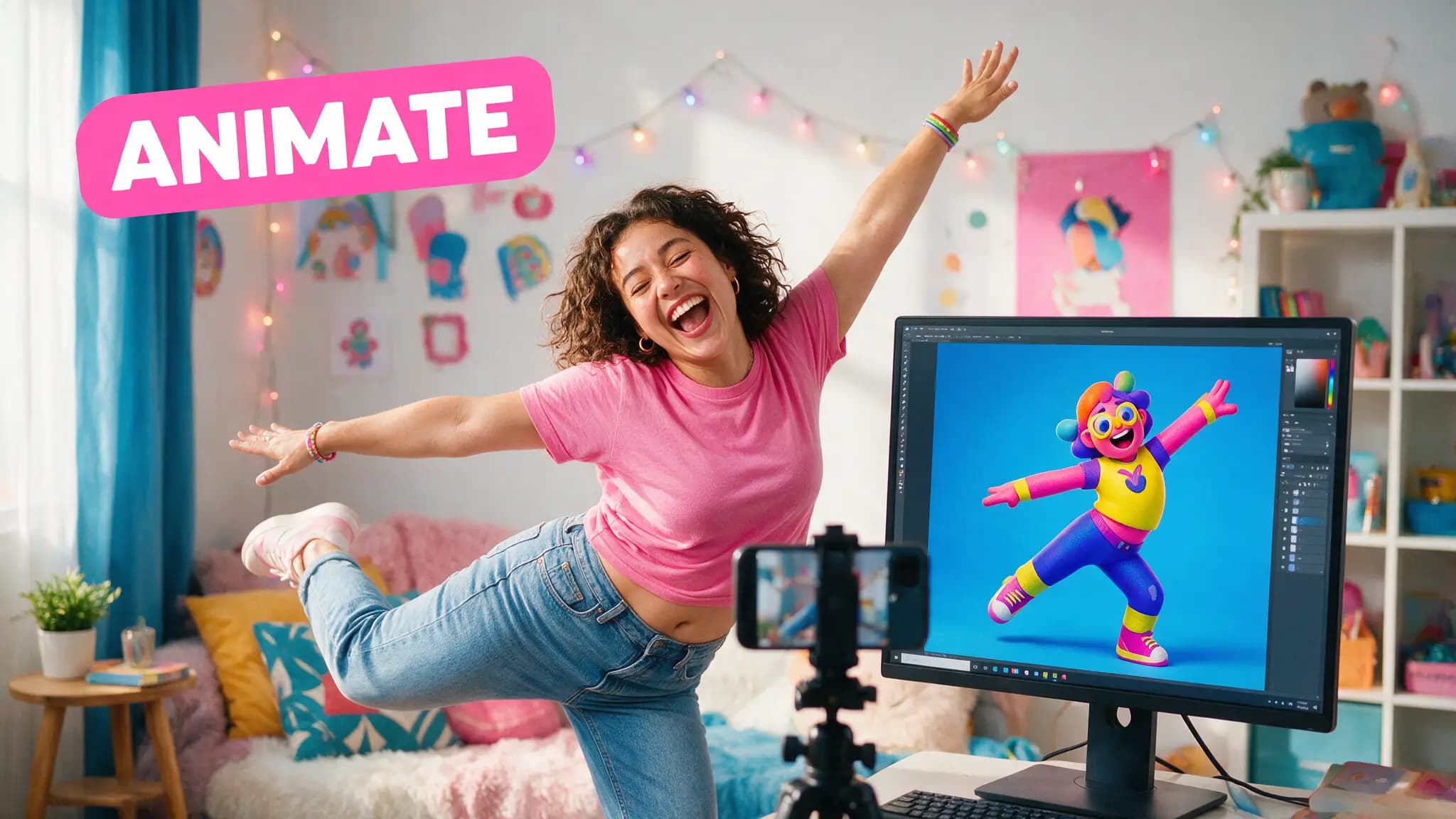
The cheapest motion-capture rig in 2026 is a phone on a tripod and a 14B model. Wan 2.2 Animate takes one image of a character and one video of a person acting, and outputs the character giving that performance — body motion and facial expression both, in any art style, on your own GPU.
I've spent months building consistent characters with reference sheets and prompt discipline, which solves how a character looks. Animate solves how they move, and it does it by stealing the one motion source that's always available and always right: you, acting the shot yourself.
The two modes, and picking the right one
Animation mode — input a character image plus a performance video, get the character performing in a newly generated scene. Your acted reference becomes a drawn character's take.
Replacement mode — the character is composited into the original footage, replacing the person who was there, with the character relit to match the scene per the official workflow. Real location, real camera move, fictional actor.
The decision is simpler than the docs make it sound: keep the background? Replacement. Generate a new one? Animation.
| Animation mode | Replacement mode | |
|---|---|---|
| Scene | Generated fresh | Original footage kept |
| Lighting | From generation | Matched to source scene |
| Best for | Character-led shots, animation pipelines | VFX-style swaps in real footage |
| Motion source | Performance video | Performance video (same clip) |
By the numbers
- Model:
Wan-AI/Wan2.2-Animate-14Bon Hugging Face — 14B parameters, Apache 2.0 - FP16 checkpoint: 28GB file · FP8: ~14GB, the 16GB-card build · INT8: 7GB with visible fidelity loss
- FP16 vs FP8 output judged imperceptibly different in ~93% of generations in community testing across the Wan family
- Native ComfyUI workflow shipped in the official templates; GGUF quants at
QuantStack/Wan2.2-Animate-14B-GGUF - Comfortable tier per setup guides: 24GB; working floor: 16GB at reduced resolution
The ComfyUI workflow that works
ComfyUI carries a native Wan 2.2 Animate template, and the shape of the job is: load character image, load performance video, pick mode, render. The craft is entirely in the two inputs.
What actually determines output quality, in order:
- The performance video. Front-lit, stable camera, full gesture range in frame. The model transfers what it can see; a cropped elbow becomes a guessed elbow.
- The character image. Clean single-character frame, pose roughly compatible with the performance's opening. A turnaround-sheet front view works beautifully.
- Resolution discipline. 480p drafts to check the motion read, one 720p final. Same draft-first economics as every Wan workflow.
Expressions transfer with the motion — eyebrow acting, mouth shapes, the small head turns that sell a line read. That's the difference between this and pose-skeleton animation systems: it's a performance transfer, not a stick-figure retarget.
Where it fits in a production pipeline
For animation-style work this replaces the worst step: getting believable acting out of image-to-video prompts. Text prompts produce motion; they rarely produce performance. A human reference does, every take.
My working pattern: lock the character once, then act each shot in 10-second takes against a blank wall. Renders of drafts land in minutes on a 16GB card at 480p. The FP8-vs-FP16 question stops mattering at draft resolution, and for finals the 93% imperceptibility figure means I default to FP8 and re-roll the rare miss rather than renting a bigger card.
Honest limits: long takes drift, as with every Wan variant — cut at 5 to 10 seconds and edit. Fast whip-pan performances confuse the transfer. And replacement mode's relighting is good, not magic; a noon performance pasted into a candlelit scene still reads composited on close inspection.
How we tested: VRAM tiers, mode behavior and workflow steps verified against the official ComfyUI tutorial, the Hugging Face model card, and current community setup guides; the draft-render discipline is the same one we run daily on our RTX 4080 Wan pipeline.
The open question I'm chasing next: how far this stacks with the rest of the open-weight toolchain — a locked character sheet in, Animate for performance shots, standard I2V for the rest, one style grade over everything. The pieces exist. Nobody's published the glue yet, which usually means the interesting month is the one coming.
Frequently asked questions
▸How much VRAM does Wan 2.2 Animate need?
The FP16 checkpoint is a 28GB file — 24GB-card territory. The FP8 build lands around 14GB and runs on a 16GB card; testing across the Wan family found FP16-vs-FP8 differences imperceptible in roughly 93% of generations. The INT8 squeeze to 7GB exists but visibly costs character fidelity, which defeats the point here. GGUF quants from QuantStack cover the tiers between.
▸What's the difference between animation mode and replacement mode?
Animation mode drives your character image with a performance video and renders the character in a fresh scene. Replacement mode swaps the person inside the original footage with your character and matches the character's lighting to that scene. Character in new world: animation. Character in the source video's world: replacement.
▸Does it work on cartoon or stylized characters?
Yes — any art style is the design goal, and it's why this model matters for animation work. A drawn character sheet, a 3D-toon render, a photoreal portrait: the same acted performance drives all three. Extreme proportions (huge heads, tiny bodies) degrade gracefully rather than failing, so test your exact design before promising a client.
▸Is Wan 2.2 Animate free to use commercially?
The weights are open under the Wan family's Apache 2.0 license and run on your own hardware at no per-clip cost. Your electricity, your GPU, no credits. Rented cloud GPUs are the practical route if you're below 16GB of VRAM.
The 5 best AI video finds, every week
New models, tested prompts, and what actually worked in our production — one short email a week. No spam, unsubscribe anytime.
Written by Jordan Reyes
AI Video Producer
Runs multiple faceless YouTube channels and tests every major AI video model against the same prompts before recommending one. Tracks render time and credit cost like other people track calories.
Explore these topics
Every guide, comparison and prompt library we have on each.
Keep learning
Workflow & Craft · GPUs & Hardware
 Guides
Run Stable Diffusion Locally: Setup That Works in 2026
SD1.5 vs SDXL VRAM math, the ComfyUI desktop install, your first workflow, where checkpoints come from, and the errors that eat everyone's first afternoon.