🎭 AI Video Character Consistency: The Reference System (2026)
We keep recurring characters recognizable across dozens of AI video shots every week. The exact reference system that holds identity together, model by model.

Jordan Reyes · AI Video Producer
· 5 min read
⚡ TL;DR — quick answers
- What's the single biggest mistake that breaks character consistency?
- Re-describing the character in text every time instead of attaching a locked reference image. The moment you go back to adjectives ('a woman with red hair'), the model reinterprets from scratch. Attach the same reference across every shot in a sequence and only change what the scene requires.
- Should I build a full turnaround sheet for video references?
- Build one when you're generating the reference image itself — it helps a still-image model lock the design. But hand a video model a single clean headshot plus one full-body shot, not the four-panel grid. Some video models try to render multiple angles inside one shot when fed a turnaround sheet directly.
- Which model has the best consistency system right now?
- Seedance 2.5's reference stack (up to 50 multimodal inputs) is the deepest identity lock available today, which is why we use it for serialized characters. Runway's Gen-4 References is close behind for a full pro workflow, and Kling 3.0's custom character elements are the fastest to set up for one recurring character.
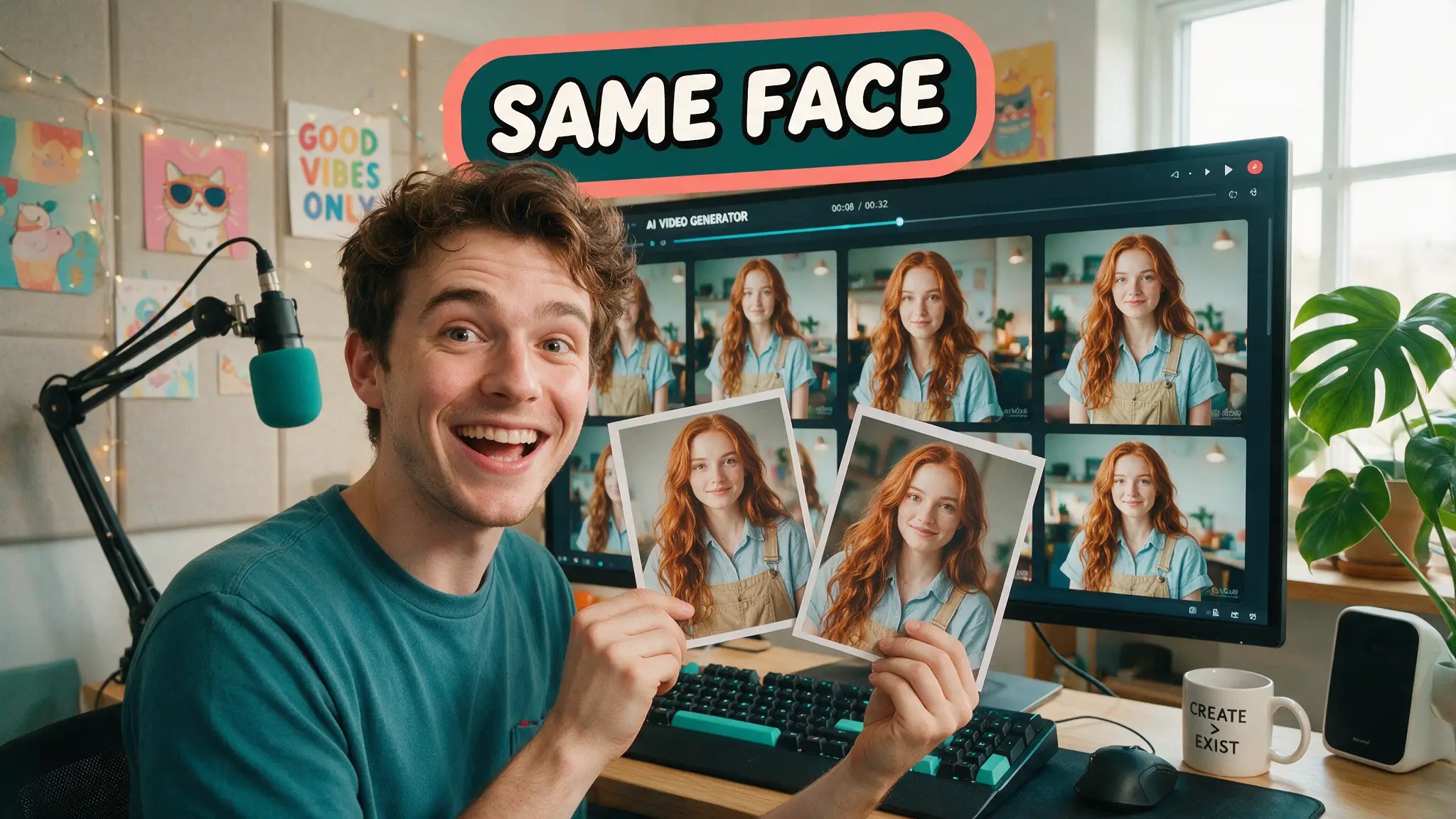
Every AI video model shares the same blind spot: it doesn't remember your character between generations. Each clip is an independent roll — describe "a woman with red hair and a leather jacket" in ten different prompts and you'll get ten different women, ten different jackets, and at least one plot hole. We run recurring casts across multi-scene shorts every week, so this isn't academic for us — it's the line between a project that holds together in the edit and one that falls apart. Here's the reference system that actually works, tool by tool.
By the numbers
- Seedance 2.5 accepts up to 50 multimodal references in a single generation — faces, product shots, style frames, even audio cues — the deepest identity-lock system in any current video model
- Runway's Gen-4 References feature combines image, video and text references in one call, the backbone of Runway's positioning as a full production toolkit rather than a one-shot generator
- Kling 3.0 ships custom character elements, a lighter system that's faster to set up for a single recurring character but caps out sooner than Seedance's full reference stack
- Across our own productions and the workflow breakdowns we've cross-checked, a multi-angle reference measurably outperforms a single portrait once the camera moves off a straight-on angle — the gap shows up almost every time a shot goes three-quarter or profile
The reference set that actually works: headshot + full body, not a turnaround grid
The instinctive move is to build a classic four-panel turnaround — front, back, three-quarter, profile — the way concept artists prep a design for animation. That's the right move for building the reference image. It's the wrong thing to hand a video model directly. Feed a video generator a turnaround sheet as its reference and some models will try to render multiple angles of the character inside a single shot, which is the exact opposite of what you wanted.
The combination that survives shot after shot in our pipeline is simpler: one clean headshot, plus one full-body shot, generated separately, both locked before the sequence starts. The headshot anchors the face — bone structure, eye color, hairstyle. The full-body shot anchors proportions, wardrobe silhouette and scale. Everything else — new poses, new expressions, new lighting — the video model can extrapolate from those two anchors far more reliably than from a busy multi-panel sheet.
Model by model
| Model | System | Best for | Ceiling |
|---|---|---|---|
| Seedance 2.5 | Up to 50 multimodal references | Serialized characters, ad SKUs that must stay pixel-identical | Highest — deepest reference stack available |
| Runway Gen-4 | References (image + video + text) | Full production workflows needing edit tools too | High, tied to Runway's broader toolkit |
| Kling 3.0 | Custom character elements | Fast single-character setup, performance-heavy shots | Moderate — fewer simultaneous references |
| LTX-style models | IC-LoRA (pose/depth/edge conditioning) | Locking motion and geometry, not just appearance | Narrower use case, strong where it applies |
What actually breaks consistency
- Re-describing the character in every prompt instead of attaching the reference — text pulls the model back toward reinterpreting your adjectives from scratch.
- Vague relative scale language ("twice his size," "much taller") instead of a concrete, scene-anchored size cue — models drift on relative sizing across cuts far more than on appearance.
- Swapping the reference image mid-project. Every model we've tested shows a visible consistency dip at the first swap, even when the new reference is meant to be "the same" character.
- Skipping a written continuity note for props and wardrobe. A jacket's exact color, a prop's exact shape — without a short text anchor alongside the image reference, these reset to the model's best guess shot to shot.
Our production method
We keep a small element library per project: one locked headshot, one locked full-body shot, and a short plain-text "topology" note covering anything a camera angle might expose that the reference images don't (back of an outfit, an object's reverse side). Every shot's prompt references the same saved elements rather than re-describing the character, and we only touch the reference set once, at the start of a sequence — not shot by shot. When a scene demands a new wardrobe state (wet, injured, changed clothes), we generate a new locked reference first, QC it against the original character, and only then start shooting with it. Skipping that QC step is the single most common way a project drifts without anyone noticing until the edit.
How we tested
We ran the same five-character, twelve-shot sequence through each model's reference system, holding the scene list and camera moves constant, and scored first-render usability: would this cut into a timeline without a regeneration? We tracked drift specifically at the moments that break most workflows — off-axis camera angles, wardrobe changes, and multi-character shots where two locked references appear together. Seedance and Runway's systems are also in daily use across our other productions, so this isn't a one-time bake-off; it's what we route real client and channel work through.
The cut list
Approaches we tested and dropped: pure text-description consistency (unusable past two or three shots), single-portrait-only references (fine for straight-on shots, breaks on off-axis angles), and four-panel turnaround sheets fed directly to the video model (caused multi-view artifacts more often than it helped). All three looked promising in isolated tests and fell apart at production volume.
Verdict
Lock a headshot and a full-body shot before you write a single shot prompt, attach them instead of re-describing your character, and pick your model by how many references your format actually needs — Seedance 2.5 for anything serialized or reference-heavy, Kling 3.0 when you need one character fast for a performance-driven shot. The Seedance 2.5 prompt library has the exact reference-lock prompt patterns we use daily, and Kling 3.0 vs Seedance 2.5 covers which model to route a given format through.
Frequently asked questions
▸What's the single biggest mistake that breaks character consistency?
Re-describing the character in text every time instead of attaching a locked reference image. The moment you go back to adjectives ('a woman with red hair'), the model reinterprets from scratch. Attach the same reference across every shot in a sequence and only change what the scene requires.
▸Should I build a full turnaround sheet for video references?
Build one when you're generating the reference image itself — it helps a still-image model lock the design. But hand a video model a single clean headshot plus one full-body shot, not the four-panel grid. Some video models try to render multiple angles inside one shot when fed a turnaround sheet directly.
▸Which model has the best consistency system right now?
Seedance 2.5's reference stack (up to 50 multimodal inputs) is the deepest identity lock available today, which is why we use it for serialized characters. Runway's Gen-4 References is close behind for a full pro workflow, and Kling 3.0's custom character elements are the fastest to set up for one recurring character.
▸Does character consistency get easier with more references, or worse?
Easier, up to a point — more angles and contexts give the model more to anchor to. Past a handful of well-chosen references (face, body, one or two key wardrobe states), extra images add diminishing returns and can occasionally introduce conflicting cues.
The 5 best AI video finds, every week
New models, tested prompts, and what actually worked in our production — one short email a week. No spam, unsubscribe anytime.
Written by Jordan Reyes
AI Video Producer
Runs multiple faceless YouTube channels and tests every major AI video model against the same prompts before recommending one. Tracks render time and credit cost like other people track calories.
Explore these topics
Every guide, comparison and prompt library we have on each.