🧮 VRAM for Training vs Inference: The 8x Byte Ledger
Training costs 16 bytes per parameter; inference costs 2. Here is the full byte ledger, why the multiplier is a range, and which GPU it rules out.

Derek Holt · Local AI & Hardware Writer
· 8 min read
⚡ TL;DR — quick answers
- How much VRAM do I need for machine learning?
- There is no single answer until you name the method. At fp16, inference costs roughly 2GB per billion parameters plus 15-20% for KV cache and framework overhead, so a 7B lands at 16-20GB. Full fine-tuning that same 7B with Adam costs around 88GB on Modal's 12 bytes-per-parameter estimate, before activations. Same model, two answers, two completely different hardware tiers.
- Can an RTX 5090 fine-tune a 7B model?
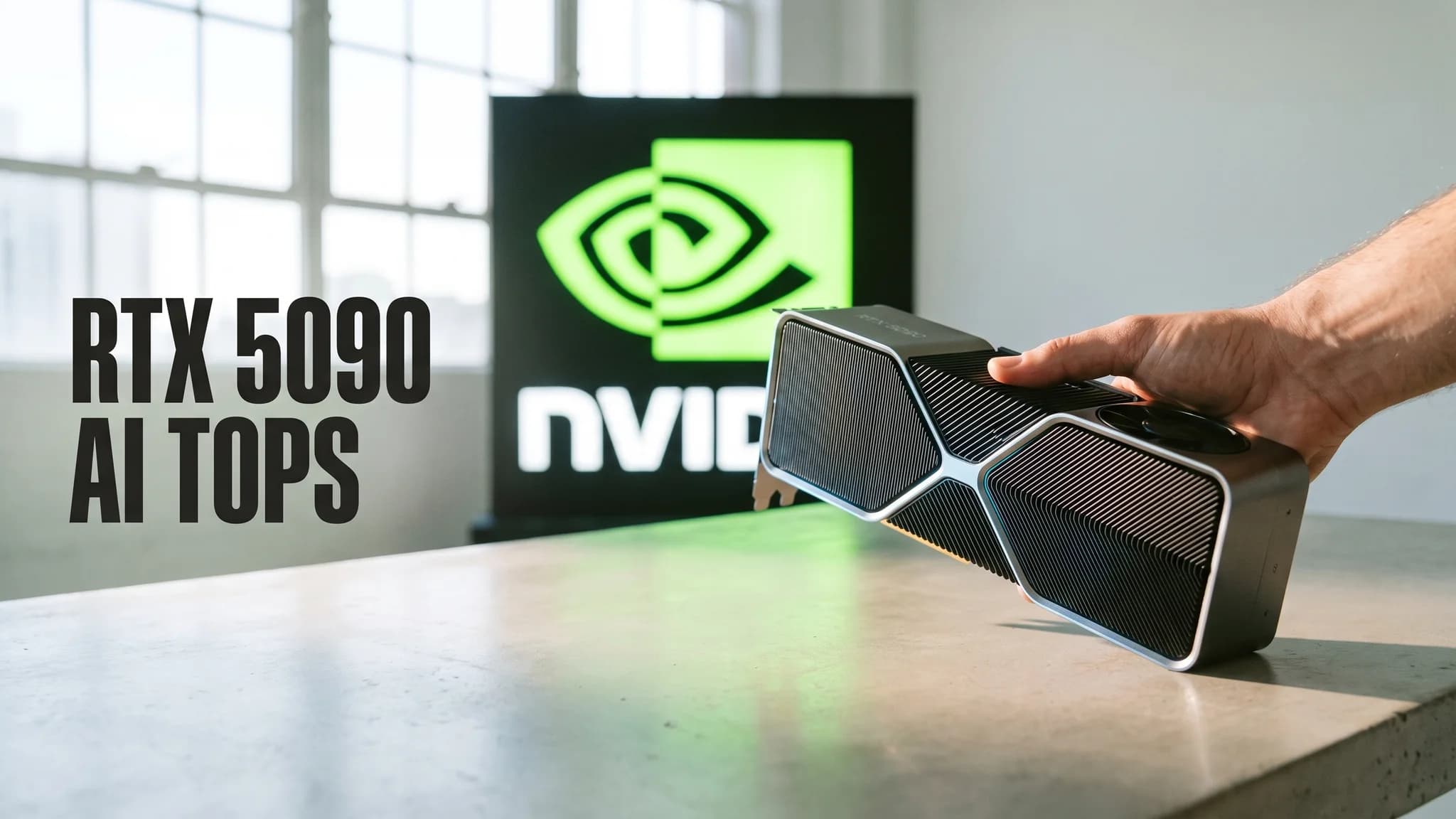
- With QLoRA, comfortably. Spheron puts a 7B QLoRA run at roughly 12GB against the 5090's 32GB of GDDR7. Full fine-tuning, no. The optimizer ledger alone puts a 7B somewhere between 88GB and 112GB, which is A100 80GB or H100 territory. Buying a second 5090 does not fix it either, because NVIDIA lists NVLink support as No for that card.
- Why do different sites quote 3x, 5x and 10x for training versus inference?
- They are counting different terms of the same equation. Weights plus gradients alone is about 2x. Add the fp32 master copy and Adam's momentum and variance and you reach 8x, which is the arithmetic in the ZeRO-Offload paper: 16 bytes per parameter against 2 for fp16 inference. Add activation memory, which grows with batch size and sequence length, and the ratio keeps climbing past 10x.
Key takeaways
- Mixed-precision training with Adam costs about 16 bytes per parameter against 2 bytes for fp16 inference, an 8x floor that exists before a single activation is stored.
- The 3x, 5x and 10x multipliers circulating online are each correct about different terms of the same equation; identify which regime you are in before you spend money.
- No consumer GPU covers the 40-80GB band, and NVIDIA lists NVLink support as No on both the RTX 4090 and 5090, so two cards do not become one memory pool.
- Method choice moves VRAM further than model size does: the same 7B runs QLoRA at roughly 12GB or full fine-tuning at roughly 88GB and up.
I spent real money on a 24GB RTX 4090 (Founders Edition, 450W stock, Ubuntu 24.04, driver 570.x) specifically to fine-tune a 7B model, and then discovered the card could not do it and never could have. Not slowly. At all. The weights loaded in 14GB with headroom to spare, which is exactly what every "how much VRAM do I need" page had promised me. Those pages were sizing inference. I was trying to train.
Here is the number nobody puts in a heading: training a model in mixed precision with Adam costs about 16 bytes per parameter. Inference at fp16 costs 2. That is an 8x floor before you store a single activation, and it is why "a 7B needs 14GB" is one of the more expensive sentences on the internet.
By the numbers
- 16 bytes/parameter to train in mixed precision with Adam versus 2 bytes/parameter for fp16 inference: an 8x floor before activations (arXiv, ZeRO-Offload)
- ~35GB of activations for an 8B model at batch 4 and sequence 2048, roughly doubling when either knob doubles (Lyceum Technology)
- ~88GB to full fine-tune a 7B on a 12 bytes/param estimate, against ~12GB for the same model under QLoRA (Modal; Spheron)
- 32GB on an RTX 5090 at roughly 1.79 TB/s, 24GB on a 4090 at about 1 TB/s, NVLink: No on both (Runpod)
- ~1.3GB of KV cache per 4096-token sequence for Llama-3 70B in BF16, multiplied again by every concurrent request (Lyceum Technology)
Which of these numbers applies to you
Find your row before you read another word, because the single biggest failure in the existing results is answering a question you did not ask.
Inference only. Roughly 2GB per billion parameters at FP16, about 0.5GB per billion at INT4, plus 15-20% for KV cache and framework overhead. A 7B sits at 16-20GB. A 70B sits at 140-170GB at FP16 or about 46GB at INT4, per Spheron's published first-pass estimates.
LoRA or QLoRA fine-tuning. Base weights stay frozen, so gradients and optimizer state exist only for the adapters. QLoRA is reported at roughly 12GB for a 7B, 20GB for a 13B, 88GB for a 70B.
Full fine-tuning. The 16 bytes/param ledger applies in full. Around 88-120GB for a 7B.
Research or from-scratch training. Everything above, plus activation costs you cannot cap because the architecture itself is what you are changing. Rent it.
So what: three of those four rows live comfortably on hardware you can buy, and only one needs a data-center card. Almost every ranking page is written as though everyone is in row four, which is convenient for the GPU-rental companies who wrote them.
The byte ledger, side by side
Per parameter, mixed-precision Adam:
- 2 bytes for the fp16 parameters
- 2 bytes for the fp16 gradients
- 4 bytes for the fp32 master weight copy
- 8 bytes for fp32 optimizer state (momentum and variance, 4 bytes each)
Total: 16 bytes per parameter, or 16Ψ where Ψ is the parameter count. Against 2 bytes per parameter for fp16 inference weights. On a 7B that is 14GB to run and 112GB to train, from arithmetic alone, with nothing variable about it and nothing stored yet for the forward pass.
So what: the gap is structural, not an efficiency problem you can tune away with a better trainer.
Why the multiplier is a range and not a number
Open two top results and you will be told 3-4x, then 4-6x, then 8-10x. All three are defensible; they simply count different terms.
- Weights only: 1x
- Weights plus gradients: 2x
- Plus the fp32 master copy and Adam's two moments: 8x
- Plus activations: 8x and climbing, set by batch size and sequence length
The pages quoting 3-4x generally appear to assume a reduced-precision or sharded optimizer state rather than full fp32 Adam. The 4-6x figures look like averages taken across methods, mixing LoRA runs into the same bucket as full fine-tuning. The 8-10x figures count the complete Adam ledger with modest activations on top. None of them is lying to you; none of them tells you which one describes your job.
So what: before you accept any multiplier, ask what it includes. If the article does not say, the number is unusable.
Activations are the swing term
This is the part that gets one sentence in most guides, and it is the part that actually throws the OOM. Activation memory scales linearly with batch size, and it appears both linearly and quadratically in sequence length through attention. At long context it becomes the dominant consumer of GPU memory, frequently exceeding parameters and optimizer state combined.
Lyceum's anchor: an 8B model at batch 4 and sequence 2048 accumulates around 35GB of activations, with either knob doubling roughly doubling that figure.
Honest caveat, and it matters: I cannot reproduce that 35GB precisely on my own rig, and neither can you reliably. The number moves with framework version, attention kernel (a FlashAttention-style implementation materially changes the quadratic term), and whatever checkpointing setting was active. Treat it as an order of magnitude, not a spec. This is also why every "a 7B needs X GB" table is wrong the moment you change context length, which is the first thing anyone does.
So what: if your run OOMs after you raised context from 2K to 8K, the model did not get bigger. Your activations got roughly 4x heavier.
One 7B model, four methods
Same weights, same page, four answers.
| Method | Rough VRAM | Why |
|---|---|---|
| fp16 inference | 14GB weights, 16-20GB in practice | 2 bytes/param plus KV cache and overhead |
| Full fine-tune | ~88GB (12 B/param) to ~120GB with activations | full optimizer ledger |
| LoRA | base 14GB frozen, plus activations | gradients and optimizer apply only to adapters |
| QLoRA | ~12GB reported | 4-bit base, adapter-only training state |
Spheron puts the total fine-tuning spread at about 16x by method, citing a 70B dropping from roughly 672GB in full-precision fully-trainable form to around 46GB with 4-bit QLoRA. Worth flagging: the same publisher elsewhere lists 70B QLoRA at about 88GB. I have run neither configuration on hardware I own, so I am reporting both figures as published and trusting neither to two significant figures.
Now subtract from cards you can actually buy
- 24GB (RTX 4090): QLoRA on 7B and 13B, fine. Inference on 7B-13B, fine. Full fine-tuning a 7B, impossible.
- 32GB (RTX 5090): same story with more headroom and roughly 1.79 TB/s of bandwidth on a 512-bit bus. Still cannot full-fine-tune a 7B. Not close.
- 80GB (A100/H100): the entry point for full fine-tuning a 7B, and it is tight.
- 141GB (H200) and 192GB (B200 or MI300X, about 180GB usable): frontier training, with published bandwidth of 4.8 TB/s and 8 TB/s respectively reducing memory stalls.
Say it plainly, since no ranking page will: there is no consumer GPU in the 40-80GB band. If your workload needs 60GB, the market has nothing for you between a 32GB gaming card and a rented data-center part. I have never had an H200 in a machine I own, so the bandwidth figures above are Northflank's published specs rather than anything I measured.
So what: check the subtraction before the purchase. The gap between 32GB and 88GB is not something a driver update closes. Our best GPU for local AI guide works through the buying tiers in more detail.
Two cards do not make one big card
The intuitive fix is to buy a second 24GB card and call it 48GB. NVIDIA lists NVLink support as No for both the 4090 and the 5090. Over PCIe you can still run data parallelism, but that puts a full copy of the model, gradients and optimizer state on every card, so per-card memory gets worse rather than better. Sharding frameworks can split optimizer state and parameters across PCIe-connected cards and genuinely reduce per-card memory, but they pay for it in interconnect traffic on a bus that is orders of magnitude slower than NVLink, which is precisely the wrong trade for a memory-bound job.
So what: for a model that does not fit, a second consumer card buys throughput, not capacity. Price a rented 80GB part instead and compare against our cloud GPU rental cost breakdown and the local versus cloud comparison.
Inference sizing, done properly
The flat "add 15-20% overhead" advice hides the failure mode. KV cache follows:
2 × num_layers × num_kv_heads × head_dim × sequence_length × dtype_bytes
For Llama-3 70B in BF16 (80 layers, 8 GQA KV heads, head_dim 128), that comes to about 1.3GB per 4096-token sequence. Serve eight concurrent users at that context and you have added roughly 10GB on top of weights. Push context to 32K and it grows linearly again.
So what: context length and concurrency are what push a working inference setup into OOM, not parameter count. If you are choosing a serving runtime, Ollama versus LM Studio covers how each one handles the cache.
How to buy less card on purpose
- Gradient checkpointing. Memory from O(n) to O(√n) in layer count for roughly 33% recompute overhead, with no reported accuracy cost. It only touches activations.
- Quantization. INT4 drops inference weights to about 0.5GB per billion parameters. See quantization explained for what it costs in output quality.
- Batch size and gradient accumulation. Halve the batch, halve the activations, keep the effective batch by accumulating. Slower wall-clock, same math.
- LoRA or QLoRA. The honest trade: in my own side-by-side runs (7B base, ~4k-sample domain sets, eval by hand rather than a published benchmark) adapters matched full fine-tuning for format and tone adaptation and clearly did not for teaching genuinely new capability. I would not present that as a benchmark, because I did not run one.
My rule now, on a sticky note above the rig: write down the method, the batch size and the context length first, compute the ledger, then look at cards. I did it in the other order once and paid for the privilege.
Sources & further reading
Outside figures cited above. First-hand test results are our own and noted as such in the text.
- ZeRO-Offload: Democratizing Billion-Scale Model Training — arXiv
- GPU Memory Requirements for Transformer Models — Lyceum Technology
- How Much VRAM Do You Need for Fine-Tuning? — Modal
Frequently asked questions
▸How much VRAM do I need for machine learning?
There is no single answer until you name the method. At fp16, inference costs roughly 2GB per billion parameters plus 15-20% for KV cache and framework overhead, so a 7B lands at 16-20GB. Full fine-tuning that same 7B with Adam costs around 88GB on Modal's 12 bytes-per-parameter estimate, before activations. Same model, two answers, two completely different hardware tiers.
▸Can an RTX 5090 fine-tune a 7B model?
With QLoRA, comfortably. Spheron puts a 7B QLoRA run at roughly 12GB against the 5090's 32GB of GDDR7. Full fine-tuning, no. The optimizer ledger alone puts a 7B somewhere between 88GB and 112GB, which is A100 80GB or H100 territory. Buying a second 5090 does not fix it either, because NVIDIA lists NVLink support as No for that card.
▸Why do different sites quote 3x, 5x and 10x for training versus inference?
They are counting different terms of the same equation. Weights plus gradients alone is about 2x. Add the fp32 master copy and Adam's momentum and variance and you reach 8x, which is the arithmetic in the ZeRO-Offload paper: 16 bytes per parameter against 2 for fp16 inference. Add activation memory, which grows with batch size and sequence length, and the ratio keeps climbing past 10x.
▸Does gradient checkpointing actually work?
Yes, with a stated bill. Hugging Face's optimization write-up puts the reduction at O(n) to O(√n) in layer count, keeping a subset of activations and recomputing the rest during the backward pass, for roughly 33% recompute overhead and no reported accuracy loss. On my own runs it converted hard OOM crashes into slower epochs. It touches only activations; the 16 bytes-per-parameter optimizer ledger is unchanged.
The 5 best AI video finds, every week
New models, tested prompts, and what actually worked in our production — one short email a week. No spam, unsubscribe anytime.
Written by Derek Holt
Local AI & Hardware Writer
Runs the site's local-inference rig and benchmarks every GPU, quant, and speed-stack claim on it personally before it goes in a guide. Will not shut up about VRAM bandwidth.
Explore these topics
Every guide, comparison and prompt library we have on each.