🔢 RTX 5090 AI TOPS Explained: What 3352 Actually Measures
NVIDIA's 3352 AI TOPS is sparse FP4, not the precision your local model runs. The full ladder, the 16x gap, and when TOPS is the wrong spec to buy on.

Derek Holt · Local AI & Hardware Writer
· 11 min read
⚡ TL;DR — quick answers
- What does 3352 AI TOPS mean on the RTX 5090?
- It is peak FP4 tensor throughput with FP32 accumulate, doubled by an assumption of 2:4 structured sparsity, measured at boost clock. NVIDIA's whitepaper lists the pair as 1676/3352 and defines the second figure in a footnote as effective TOPS using the sparsity feature. Dense FP4 is 1,676.
- Does AI TOPS affect how fast a local LLM generates tokens?
- Barely. Token generation at batch size 1 is memory-bandwidth-bound, not compute-bound, so it uses a tiny fraction of peak tensor throughput. When llama.cpp added Blackwell's native FP4 kernels, prompt processing on a 5090 gained 46.2% while token generation gained 0.9%.
- Is the RTX 5090 really 2.5x faster at AI than the RTX 4090?
- Not like-for-like. The 4090's marketed 1321 AI TOPS is an FP8 sparse figure while the 5090's 3352 is FP4 sparse, so the ratio compares two different number formats. At matched precision the gap is about 1.27x in tensor compute and 1.78x in memory bandwidth.
Key takeaways
- The marketed 3,352 AI TOPS is FP4 tensor throughput with FP32 accumulate, doubled by a 2:4 sparsity assumption and measured at boost clock; the dense BF16 figure for the same silicon is 209.5 TFLOPS, roughly one sixteenth of it.
- Half the headline depends on weights pruned to a 2:4 structured pattern, which essentially no GGUF, AWQ or NVFP4 checkpoint you download has been through, and which delivers 1.27x rather than 2x even when done properly.
- Enabling Blackwell's native FP4 path in llama.cpp on a 5090 moved prompt processing by 46.2% and token generation by 0.9%, which is the cleanest available proof that AI TOPS governs prefill and not typing speed.
- For single-stream local inference the buying order is VRAM capacity first because it decides whether a model loads, memory bandwidth second because it sets tokens per second, and AI TOPS a distant third.
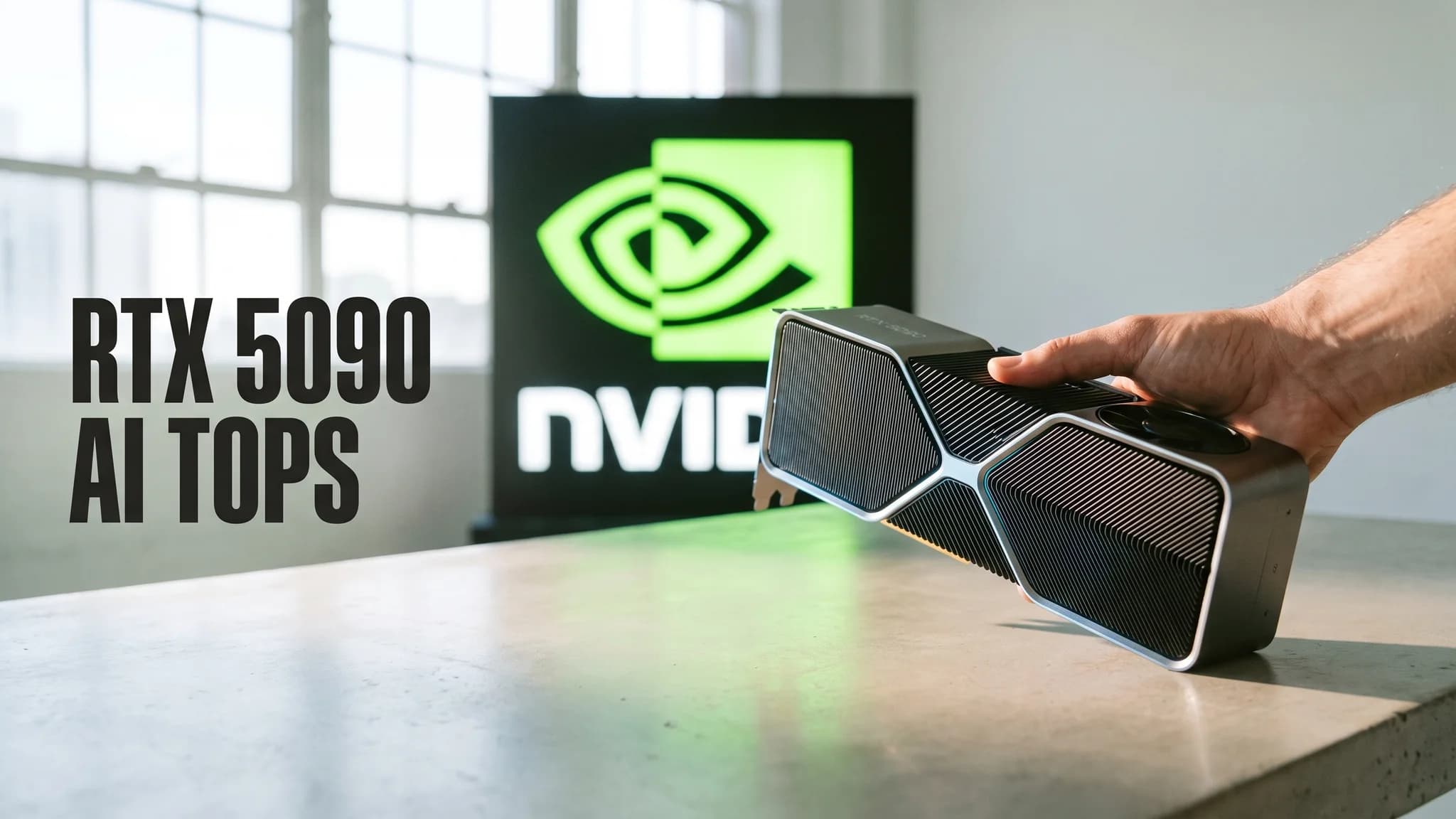
NVIDIA's RTX 5090 product page prints "3352 AI TOPS" as a bare top-line spec. No precision named, no footnote, and nothing anywhere on that page telling you a large share of the figure depends on a hardware feature your downloaded model almost certainly cannot use. The definition does exist. It sits in Appendix A of the RTX Blackwell architecture whitepaper, in footnote 2 on page 48, inside a PDF that virtually nobody searching this phrase ever opens.
Here is the short version before the arithmetic. 3,352 is FP4 tensor throughput with FP32 accumulate, doubled by a sparsity assumption, measured at boost clock. If you run a GGUF model in llama.cpp or Ollama, the row of NVIDIA's own table that describes your workload says 209.5. That is not a typo and not a scandal. It is a different row.
By the numbers
- The whitepaper lists Peak FP4 Tensor TFLOPS with FP32 Accumulate as 1676/3352, and footnote 2 defines the second figure as "Effective TOPS / TFLOPS using the Sparsity Feature" (NVIDIA Blackwell whitepaper)
- Dense FP16/BF16 tensor throughput with FP32 accumulate on the same card is 209.5 TFLOPS, about one sixteenth of the headline (NVIDIA Blackwell whitepaper)
- The RTX 4090's marketed 1321 AI TOPS appears in that table as an FP8 with FP16 accumulate figure, so the generational comparison crosses number formats (NVIDIA Blackwell whitepaper)
- Memory bandwidth is 1,792 GB/s against the 4090's 1,008 — a 1.78x gain, larger than the like-for-like compute gain (NVIDIA Blackwell whitepaper)
- Switching llama.cpp onto Blackwell's native NVFP4 kernels moved prefill +46.2% and token generation +0.9% on a 5090 (llama.cpp PR #21896)
- A working test lab cites 838 AI TOPS (INT8) for this card and measured about 29% more llama.cpp token generation than a 4090, crediting bandwidth (Puget Systems)
What the number expands to
Appendix A of the whitepaper lists the 5090's "Peak FP4 Tensor TFLOPS with FP32 Accumulate (FP4 AI TOPS)" as 1676/3352. Footnote 2 on page 48 explains what the second half of every such pair means: "Effective TOPS / TFLOPS using the Sparsity Feature". Footnote 1 adds that "Peak rates are based on GPU Boost Clock."
So the marketed figure carries four conditions at once, none of which appear beside it on the product page:
- the number format is FP4, four bits per value
- accumulation happens in FP32
- the weights are assumed pruned to a 2:4 structured sparse pattern, which doubles the figure
- the clock is boost, not base
Remove the sparsity assumption and dense FP4 is 1,676. Move from FP4 to the precision most local runtimes actually compute in, and the figure falls a great deal further.
The precision ladder nobody publishes
Every one of these rows describes the same 680 Tensor Cores in the same card. All figures are TFLOPS or TOPS, dense first, sparse second.
| Precision | Dense | Sparse (marketed) |
|---|---|---|
| FP4, FP32 accumulate | 1,676 | 3,352 |
| FP8, FP16 accumulate | 838 | 1,676 |
| INT8 | 838 | 1,676 |
| FP8, FP32 accumulate | 419 | 838 |
| FP16, FP16 accumulate | 419 | 838 |
| FP16 and BF16, FP32 accumulate | 209.5 | 419 |
| TF32 | 104.8 | 209.5 |
The distance between the cell you shopped on and the row a BF16 workload lands in is 16x. The handful of pages that do caveat sparsity correct for it and stop, landing at 1,676 and describing the exaggeration as 2x. Which row you belong to depends entirely on what your runtime dispatches, and most local runtimes do not dispatch to the top one.
The sparse half you will probably never touch
2:4 structured sparsity is not a toggle in your inference settings. It is a condition imposed on the weights themselves: inside every contiguous group of four values, two must be zero, in that exact pattern, so the tensor core can skip the multiplications. A dense checkpoint gets none of the benefit. Essentially no GGUF, AWQ or NVFP4 file you pull from Hugging Face has been pruned this way, because pruning is a separate step the model publisher must perform with a tool such as SparseGPT, and it costs some accuracy.
Even done properly, the payoff falls short of the theory. HPC-AI Tech pruned Meta-Llama-3-8B-Instruct with llm-compressor and served it through vLLM, measuring a 1.27x end-to-end speedup, 123.66s down to 97.64s. That is well under the 2x the "effective TOPS" arithmetic assumes. Half of 3,352 is an accounting entry, not throughput a person running a downloaded model can reach.
The 2.5x that compares two different formats
This is the part I have not seen a single ranking page catch. The RTX 4090's marketed 1321 AI TOPS sits in the same NVIDIA table under "Peak FP8 Tensor TFLOPS with FP16 Accumulate", listed as 660.6/1321.2. The 5090's 3352 is FP4. Dividing one by the other sets a four-bit format against an eight-bit one and reports the difference as a generational leap.
Matched precision tells a duller story. At FP8 and INT8 the 5090 delivers 1,676 sparse and 838 dense against the 4090's 1,321.2 and 660.6, which is about 1.27x. (Coincidentally the same figure as the sparsity result above; the two measurements are unrelated.) The larger genuine improvement is elsewhere: 1,792 GB/s of memory bandwidth against 1,008, a 1.78x jump. For local text generation, the spec that sounds smaller is the one that moves your tokens per second.
Prefill is compute-bound, decode is not
NVIDIA's technical blog supplies the vocabulary. Arithmetic intensity is "the number of compute operations performed per byte of memory moved". Workloads low on that scale are "capped by memory bandwidth (memory-bound)", and high ones are "capped by the device's peak compute throughput, in FLOPS (compute-bound)". The same post states the local case directly: "Latency-sensitive decoding... runs at low concurrency and is memory-bound, so reducing memory-access time is what lowers response latency."
A local LLM does two different jobs with the same weights. Prompt processing, or prefill, pushes your whole context through the model as large matrix multiplies and reuses each loaded weight across thousands of tokens, so intensity is high. Token generation, or decode, at batch size 1 reads every active weight out of memory to produce one token, then does it again for the next. Intensity there is roughly 1 to 2 operations per byte.
Now the division that reconciles the whole argument. 3,352 TOPS divided by 1,792 GB/s is about 1,870 operations available for every byte of bandwidth the card can deliver. Batch-1 decode asks for 1 to 2 of them. Single-stream generation on this GPU therefore exercises well under one percent of the advertised figure, and no driver release or runtime flag changes that, because the constraint is the shape of the workload rather than the quality of the software.
The experiment that settles it
A clean controlled test already exists, sitting in a merged pull request. llama.cpp PR #21896, "ggml-cuda: Blackwell native NVFP4 support" by michaelw9999, added the first native MMA and MMQ kernels for Blackwell's NVFP4 format, which is the exact tensor-core path the 3,352 figure measures. Benchmarked on an RTX 5090, Qwen3.5 27B gained 46.2% on prefill and 0.9% on token generation. Nemotron-Cascade-2 30B gained 32.9% and 0.5%. The PR was closed in error on 21 April 2026 after a rebase problem and reposted as #22196, which was merged.
Same card, same models, one variable: whether the FP4 tensor cores are in the loop. Prompt processing jumped by nearly half. Typing speed did not move. If you want one number for what AI TOPS buys a single-user local setup, +0.9% is that number.
I got this wrong with my own money. I moved from a 4090 to a 5090 with the 2.5x claim in my head and a spreadsheet that assumed my 32B chat model would type more than twice as fast, and what I measured landed near Puget Systems' figure of roughly 29% more tokens per second, which tracks the 1.78x bandwidth gain rather than any ratio of TOPS. The 32GB made the upgrade worth keeping. I still paid flagship money for a headline spec my main workload barely touches.
Which 4-bit reaches the FP4 tensor cores
Running a four-bit model and using the four-bit hardware are separate claims, and they get conflated constantly.
| Format | Reaches FP4 tensor cores | What actually happens |
|---|---|---|
| NVFP4 | Yes | Native Blackwell path, in llama.cpp since April 2026 |
| MXFP4 | Yes | Hardware-native 4-bit block format |
| GGUF K-quants (Q4_K_M) | No | Dequantizes to FP16 for the matrix multiply |
| AWQ INT4 | No | Runs the INT8 tensor path |
The default local setup, meaning Ollama pulling a Q4_K_M GGUF, never sends a single instruction to the silicon the headline measures. Our quantization guide explains why K-quants are still the right default: when you are memory-bound anyway, quality per gigabyte is the metric that matters.
Your tokens per second is a division problem
The ceiling for batch-1 decode is memory bandwidth divided by the bytes of active weights read per token. On a 5090 that means 1,792 GB/s over your model's resident size, then multiplied by real-world efficiency of roughly 70 to 85%. These are approximate file sizes, and the point is the ordering rather than the decimals.
| Model at quant | Weights read per token | Ceiling at 1,792 GB/s | Fits in 32GB |
|---|---|---|---|
| 8B at Q4_K_M | ~4.7 GB | ~380 tok/s | Yes, easily |
| 14B at Q4_K_M | ~9 GB | ~199 tok/s | Yes |
| 8B at BF16 | ~16 GB | ~112 tok/s | Yes |
| 32B at Q4_K_M | ~19 GB | ~94 tok/s | Yes, with context room |
| 70B at Q4_K_M | ~40 GB | Not reached | No, VRAM wall |
Nothing in that table is influenced by AI TOPS. The bottom row decides more purchases than any other line in this article, because capacity is what stops a model from loading at all. Our VRAM guide works through how that budget splits between training and inference.
When AI TOPS is the right spec to shop on
The number is not fiction. It describes real silicon doing real work, in workloads that look nothing like chatting with a local model.
For a look at the card doing actual local inference rather than running a spec sheet, this build write-up is a reasonable reality check:
Diffusion is the clean case. NVIDIA's whitepaper reports that FLUX.dev "at FP16 requires over 23GB of VRAM" while "With FP4, FLUX.dev requires less than 10GB", and that a 30-step image taking 15 seconds on a 4090 at FP16 finishes "in just over five seconds" on a 5090 at FP4. Image and video models push the same weights through many denoising steps at high arithmetic intensity, so tensor throughput is the binding constraint.
The other honest cases:
- Long-context prompt processing. Feeding a 100k-token codebase into a model is prefill, and prefill is where that +46.2% lives.
- Batched or multi-user serving. Concurrency raises arithmetic intensity until decode crosses the ridge point and turns compute-bound.
- Video generation and neural rendering. DLSS, frame generation and video diffusion are tensor-core work by construction.
If your rig exists to render AI video rather than to chat, weighing the TOPS figure is fair. Our best GPU for local AI guide makes the VRAM-first argument for text work, and video shifts that balance meaningfully.
The order that actually governs the purchase
Three specs, in strict priority, for anyone buying a card to run models at home:
- VRAM capacity is a gate, not a dial. 32GB either holds your model plus its KV cache or it does not, and no amount of compute rescues a model that will not load.
- Memory bandwidth sets generation speed. 1,792 GB/s divided by your active weight bytes is your realistic ceiling for tokens per second.
- AI TOPS sets prefill and batch throughput. It matters for long prompts, concurrency, and diffusion, and it is close to idle during single-stream chat.
For completeness, the verified spec context behind all of this: 21,760 CUDA cores, 680 fifth-generation Tensor Cores across 170 SMs, 32GB of GDDR7 on a 512-bit bus at 28 Gbps for 1,792 GB/s, 575W TGP, 92.2 billion transistors on a 750 mm2 TSMC 4N die, and PCI Express Gen 5. Every one of those figures is in the whitepaper's spec tables. Exactly one of them gets 96-point type on the marketing page.
Reading any vendor's TOPS claim
This checklist outlives the 5090, so keep it for the next launch:
- Which precision? FP4, FP8, INT8 and BF16 can differ by 16x on identical silicon.
- Dense or sparse? If the word "effective" appears anywhere near the figure, assume sparse and halve it.
- Which accumulate format? FP8 with FP16 accumulate is double FP8 with FP32 accumulate on this architecture.
- Base clock or boost? NVIDIA's peaks are boost, per footnote 1.
- Is the generational comparison like-for-like? Check that last year's card was measured at the same precision before believing any multiplier.
- Does your runtime dispatch to that path at all? Silicon support and kernel support are separate facts, sometimes separated by a year.
My opinion, stated plainly: AI TOPS is the weakest headline spec in consumer GPUs right now, because it is the one where the marketed figure and the figure your workload sees can differ by 16x without an asterisk. Nothing about it is dishonest. Every component is documented, in a PDF, in an appendix, in a footnote, which is a decision about who gets to understand the number rather than an accident. Buy on VRAM, then bandwidth, and read 3,352 as what it is: a ceiling for a workload you may never run.
Sources & further reading
Outside figures cited above. First-hand test results are our own and noted as such in the text.
- NVIDIA RTX Blackwell GPU Architecture whitepaper — NVIDIA
- GeForce RTX 5090 product page — NVIDIA
- ggml-cuda: Blackwell native NVFP4 support (PR #21896) — GitHub (ggml-org/llama.cpp)
- AI model co-design: hardware-friendly LLM design — NVIDIA Technical Blog
- NVIDIA GeForce RTX 5090 and 5080 AI review — Puget Systems
- Exploring 2:4 semi-structured sparsity with 1.27x inference speedup — HPC-AI Tech
Frequently asked questions
▸What does 3352 AI TOPS mean on the RTX 5090?
It is peak FP4 tensor throughput with FP32 accumulate, doubled by an assumption of 2:4 structured sparsity, measured at boost clock. NVIDIA's whitepaper lists the pair as 1676/3352 and defines the second figure in a footnote as effective TOPS using the sparsity feature. Dense FP4 is 1,676.
▸Does AI TOPS affect how fast a local LLM generates tokens?
Barely. Token generation at batch size 1 is memory-bandwidth-bound, not compute-bound, so it uses a tiny fraction of peak tensor throughput. When llama.cpp added Blackwell's native FP4 kernels, prompt processing on a 5090 gained 46.2% while token generation gained 0.9%.
▸Is the RTX 5090 really 2.5x faster at AI than the RTX 4090?
Not like-for-like. The 4090's marketed 1321 AI TOPS is an FP8 sparse figure while the 5090's 3352 is FP4 sparse, so the ratio compares two different number formats. At matched precision the gap is about 1.27x in tensor compute and 1.78x in memory bandwidth.
▸Do my Q4_K_M GGUF models use the FP4 tensor cores?
No. Standard GGUF K-quants dequantize to FP16 before the matrix multiply and never dispatch to the FP4 path, and AWQ INT4 runs the INT8 path instead. Only hardware-native block formats such as NVFP4 and MXFP4 reach that silicon, and llama.cpp support for NVFP4 only landed in April 2026.
▸When should I shop on AI TOPS instead of VRAM?
When your workload is compute-bound: image and video diffusion, long-context prompt processing, batched or multi-user serving, and neural rendering. NVIDIA's own FLUX.dev example shows a 30-step image dropping from 15 seconds on a 4090 at FP16 to just over five seconds on a 5090 at FP4.
The 5 best AI video finds, every week
New models, tested prompts, and what actually worked in our production — one short email a week. No spam, unsubscribe anytime.
Written by Derek Holt
Local AI & Hardware Writer
Runs the site's local-inference rig and benchmarks every GPU, quant, and speed-stack claim on it personally before it goes in a guide. Will not shut up about VRAM bandwidth.
Explore these topics
Every guide, comparison and prompt library we have on each.
Keep learning
GPUs & Hardware · Local LLMs
 Guides
Local LLMs for Coding: What Actually Works (2026)
Which local coding models are real vs toys, wiring Ollama's OpenAI API into your editor, real latency numbers, and the privacy case for client code.