🎙️ Local Voice AI: Whisper, TTS & Offline Assistants (2026)
The self-hosted voice stack map: Whisper/faster-whisper for speech-to-text, Kokoro/Piper/Chatterbox/XTTS for voices, Ollama for the brain — wired offline.

Derek Holt · Local AI & Hardware Writer
· 7 min read
⚡ TL;DR — quick answers
- What do I actually need to run a local voice assistant?
- Four jobs, each handled by a separate open-source project: a wake word engine (openWakeWord), speech-to-text (faster-whisper), a conversation agent (Ollama running a small model), and text-to-speech (Kokoro, Piper, Chatterbox, or XTTS). Home Assistant's Wyoming protocol is the easiest way to wire all four together.
- Is faster-whisper actually better than OpenAI's original Whisper?
- For local use, yes. It's a CTranslate2 reimplementation of the same model weights, so accuracy is identical, but SYSTRAN's own benchmark shows a 13-minute file dropping from 2m23s to 1m03s on the same GPU. There's no real reason left to run the original for daily use.
- Which local TTS model should I start with?
- Kokoro if you just need narration — 82M parameters, Apache-2.0, runs on CPU alone. Piper if you're targeting a Raspberry Pi or embedded hardware. XTTS or Chatterbox only if you specifically need to clone one person's voice from a sample.

A local voice setup is five open-source projects agreeing to talk to each other: a wake word engine, a speech-to-text model, a conversation agent, a text-to-speech model, and something gluing all four of them into one working pipeline. None of it phones home. That's the whole point, and it's also where every "five-minute setup" guide starts lying.
I've had a version of this running next to my RTX 4080 for months now, and the honest version is: it's a weekend project, not an afternoon one. The payoff is a house that doesn't ship a transcript of tonight's argument off to a server in Seattle.
This page is the map, not the manual. Seven other pages on this site cover each piece in enough depth to actually build it; this one just tells you which piece is which, and which ones are safe to skip.
By the numbers
- faster-whisper claims up to 4x the speed of openai/whisper at identical accuracy; in SYSTRAN's own GPU benchmark (RTX 3070 Ti, large-v2 model, fp16), a 13-minute file dropped from 2m23s to 1m03s (SYSTRAN/faster-whisper)
- Kokoro does the same category of job at 82M parameters, small enough to hit #1 on the TTS Arena leaderboard against models with many times its parameter count, and to run roughly 6x faster than real time on a CPU-only laptop (hexgrad/Kokoro-82M)
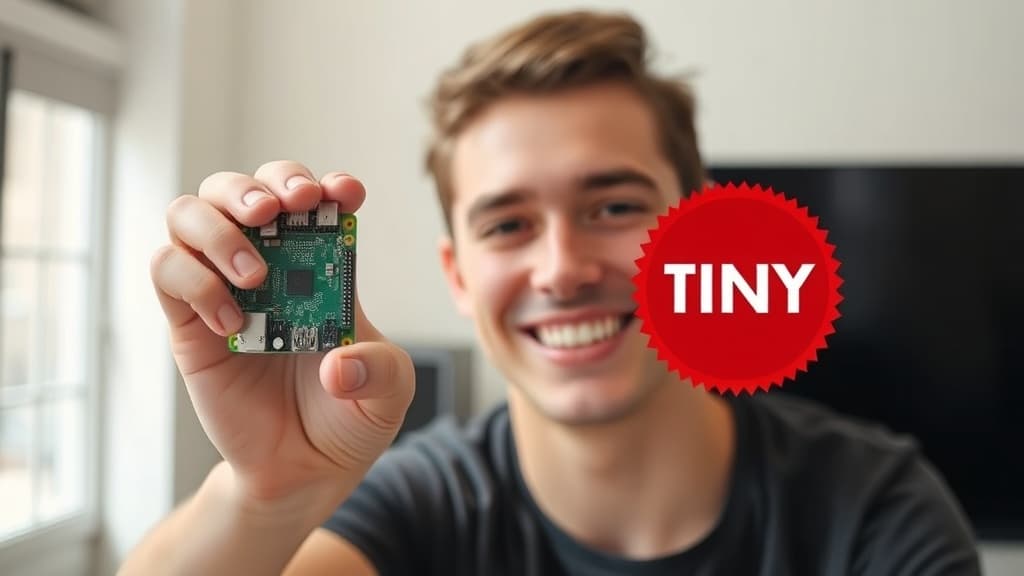
- Piper synthesizes in real time on a Raspberry Pi 5 with no GPU at all, across 30+ languages (rhasspy/piper)
- Chatterbox, Resemble AI's MIT-licensed release, clones a voice convincingly from about 10 seconds of reference audio
- The Home Assistant Voice Preview Edition, the one piece of dedicated hardware anywhere in this stack, runs $69 / €59 (home-assistant.io)
- Ollama, the easiest way to run the conversation-agent brain, went from roughly 100K monthly downloads in Q1 2023 to 52 million in Q1 2026
The four jobs a stack has to do
Ignore the brand names for a second. A local voice assistant is four jobs wearing different hats depending which project handles each one.
| Job | What it does | Projects that do it |
|---|---|---|
| Wake word | Listens for one phrase, ignores the rest | openWakeWord |
| Speech-to-text | Turns audio into text | Whisper, faster-whisper |
| Conversation agent | Decides what was meant and what to say back | Ollama running a small local model |
| Text-to-speech | Turns the reply back into audio | Kokoro, Piper, Chatterbox, XTTS |
Wake word is the job nobody markets, because it's boring by design. Deliberately dumb. openWakeWord is a bouncer with a two-word vocabulary, and anything smarter listening 24/7 in the kitchen is a privacy hole wearing a feature's clothes.
Is any of this actually private?
More than the alternative. Not perfectly. Audio never leaves the local network, nothing gets transcribed on a server outside the house, and nothing trains a model somewhere in Seattle on tonight's dinner conversation. That part is real, and it's the entire reason to bother with any of this.
The mic is still in the room.
Self-hosting means trusting a home router and firewall, and whichever maintainers wrote the wake-word code, over trusting Amazon's. That's a straightforward trade for me. It won't be for everyone, and anyone claiming self-hosting makes a household invisible is selling something.
Picking your speech-to-text
Whisper is the model; faster-whisper is the same model re-run through CTranslate2 so it doesn't take four minutes to transcribe four minutes of audio. There's not much reason to run the original anymore outside of debugging a compatibility issue. Our faster-whisper vs. Whisper benchmark has the real numbers on consumer hardware, and the Whisper setup guide covers the install plus the large-v3-vs-turbo call most tutorials dodge entirely.
Picking your voice
This is the fork with the most options, so here's the short version. For the fastest, cheapest, no-cloning voice for narration, start with Kokoro — 82M parameters is not a typo. For something wired into a Raspberry Pi or a battery-powered gadget, Piper is the one actually built for that job. To clone one specific person's voice from a sample clip, that's XTTS territory, with Chatterbox as the newer MIT-licensed challenger nipping at it.
Descriptions alone won't settle it. The three-way comparison runs an identical script through all three and judges the audio instead of the spec sheet.
Wiring it into something that talks back
The models above are just files sitting on a disk until something routes audio between them. Home Assistant does this with the Wyoming protocol, a deliberately boring socket format that lets faster-whisper, Piper, and Ollama expose themselves as interchangeable services instead of hard-wired dependencies. The full build walks the pipeline end to end, with latency numbers instead of the vague "it's fast" every competing page settles for.
Home Assistant isn't mandatory here. It's just the wiring harness with the most documentation behind it and, annoyingly, the only one where the pieces already know how to find each other on the network.
A determined DIYer can skip Home Assistant entirely and script the pipeline directly in Python instead — faster-whisper and Piper both expose a normal library API, no Wyoming server required. That's more code to maintain and a lot less documentation to lean on, which is exactly the trade Home Assistant exists to avoid.
What hardware this actually needs
Here's where I get obsessive, because every other guide glosses over it. None of these models are VRAM-hungry by 2026 standards: Kokoro runs on CPU alone, Piper was designed around a Raspberry Pi, and faster-whisper's large-v3 fits in around 6GB. My RTX 4080's 16GB runs the entire STT and TTS side of this stack at once and never notices.
| Tier | Hardware | What actually struggles |
|---|---|---|
| Edge | Raspberry Pi 5, CPU only | Running the LLM step alone — fine for wake word and Piper TTS |
| Desktop, no GPU | Any modern CPU, 16GB+ RAM | Small Ollama models work; large-v3 Whisper feels slow |
| Desktop with GPU | 8GB+ VRAM (my 4080 has 16GB) | Nothing, honestly. This is overkill and I like it that way |
The bottleneck was never the STT or TTS side. It's the conversation agent. A 3B-4B Ollama model handles "turn off the lights" fine, but the moment the assistant needs to reason instead of pattern-match commands, it's back to the VRAM math in our GPU guide — and a Raspberry Pi running that LLM step alone is a genuinely bad time, five-to-eight-seconds bad, per Home Assistant's own community reports. Rent a GPU by the hour if the desktop upgrade isn't worth it yet; that's cheaper than guessing wrong on hardware.
Go deeper
Seven pages, each covering one piece of this properly instead of skimming all of them at once:
- Run Whisper locally — the free offline STT setup, CPU vs. GPU timing
- faster-whisper vs. OpenAI Whisper — whether the 4x claim survives consumer hardware
- Kokoro TTS setup — pip install to first spoken line
- Piper TTS on a Raspberry Pi — the lightweight-hardware path
- Kokoro vs. Chatterbox vs. XTTS — same script, three voices, judged on the audio
- XTTS voice cloning locally — cloning one voice from a short sample, fully offline
- Build a fully offline voice assistant with Home Assistant — the whole pipeline wired together, with real latency numbers
How I picked these
Every model named here is one I've actually installed. Kokoro and Piper run in minutes on nothing special; faster-whisper and XTTS get real work out of my 4080. The Raspberry Pi and Home Assistant figures I couldn't personally re-test across three different Pi units come from the projects' own repos and Home Assistant's community reports, cited rather than guessed at. Prices and star counts move; treat those as "check current" and the architecture as the part that lasts.
Pick the STT, pick the voice, skip the rest until it's actually needed — that's the whole page, compressed. A house that doesn't listen unless you say its name first is worth the weekend.
Frequently asked questions
▸What do I actually need to run a local voice assistant?
Four jobs, each handled by a separate open-source project: a wake word engine (openWakeWord), speech-to-text (faster-whisper), a conversation agent (Ollama running a small model), and text-to-speech (Kokoro, Piper, Chatterbox, or XTTS). Home Assistant's Wyoming protocol is the easiest way to wire all four together.
▸Is faster-whisper actually better than OpenAI's original Whisper?
For local use, yes. It's a CTranslate2 reimplementation of the same model weights, so accuracy is identical, but SYSTRAN's own benchmark shows a 13-minute file dropping from 2m23s to 1m03s on the same GPU. There's no real reason left to run the original for daily use.
▸Which local TTS model should I start with?
Kokoro if you just need narration — 82M parameters, Apache-2.0, runs on CPU alone. Piper if you're targeting a Raspberry Pi or embedded hardware. XTTS or Chatterbox only if you specifically need to clone one person's voice from a sample.
▸Do I need a GPU for a local voice assistant?
Not for speech-to-text or text-to-speech — Kokoro and Piper both run fine on CPU. You'll want one for the conversation-agent step once you move past small 3B-4B models, and a Raspberry Pi trying to run that step alone is genuinely slow, five to eight seconds per reply by community reports.
The 5 best AI video finds, every week
New models, tested prompts, and what actually worked in our production — one short email a week. No spam, unsubscribe anytime.
Written by Derek Holt
Local AI & Hardware Writer
Runs the site's local-inference rig and benchmarks every GPU, quant, and speed-stack claim on it personally before it goes in a guide. Will not shut up about VRAM bandwidth.
Explore these topics
Every guide, comparison and prompt library we have on each.
Keep learning


AI Voice & TTS · Local Speech & TTS
 Guides
Free AI Voice Generators That Are Actually Free
ElevenLabs' free tier is 10 minutes a month with an attribution catch. The genuinely free routes, hosted and local, mapped side by side with what each bans.